
Meet the New InStore Touch Order Screen
A faster, cleaner and more touch-friendly way to take walk-in and in-store orders — designed specifically for the way flower shops work.
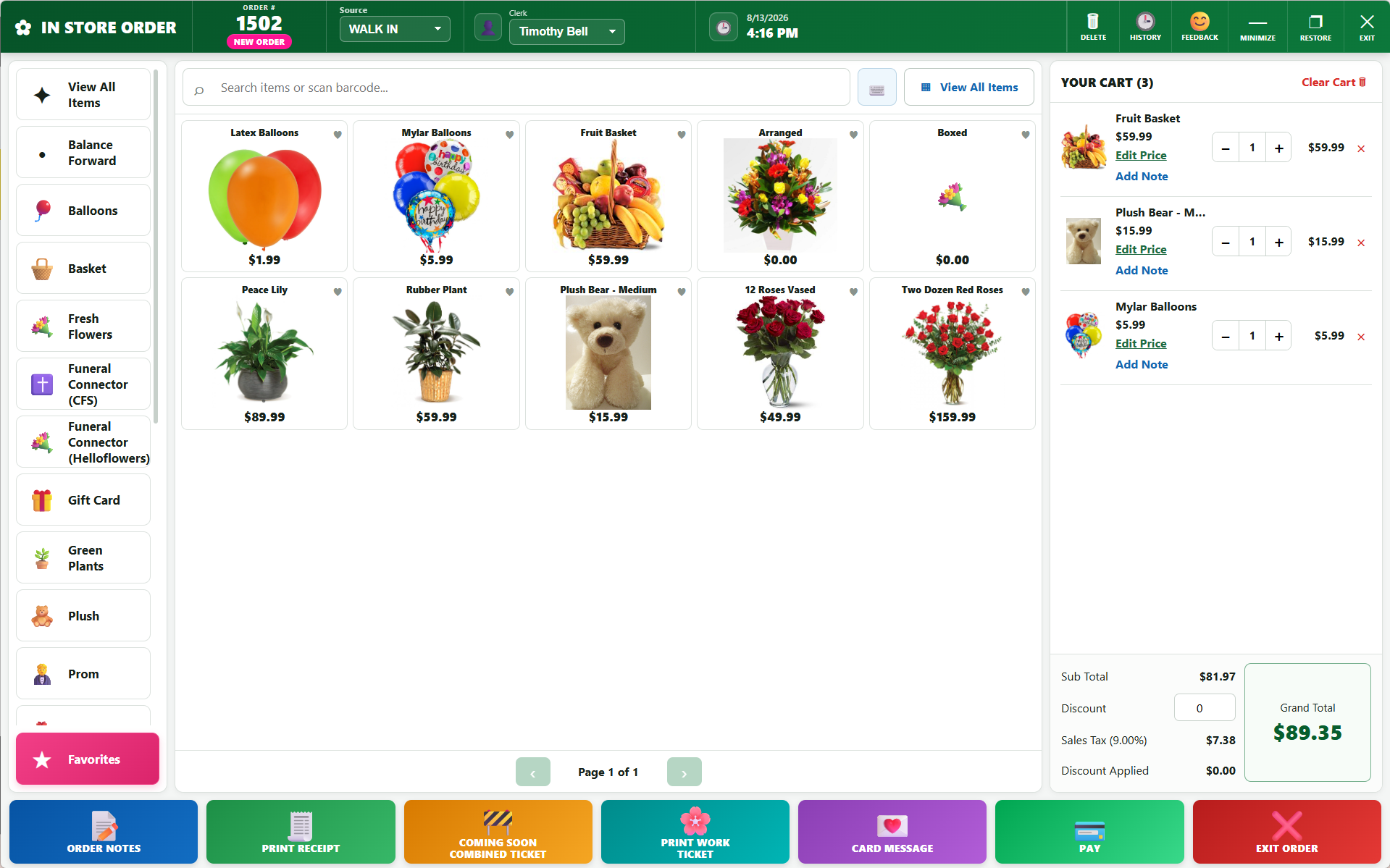
Built for Touch
Large controls and a touch-friendly layout make it easy to operate from a touchscreen at your sales counter.
Faster Ordering
Quickly find products, add items, scan barcodes and build the order while keeping everything visible.
Everything Close at Hand
Important order tools are available directly from the screen without constantly moving between traditional forms.
Everything You Need to Build an Order
Find Items Quickly
Browse inventory visually or search for the product you need without leaving the order.
Barcode Scanning
Scan merchandise directly into the order for fast item entry at the counter.
Live Order Cart
See items, quantities, pricing and the running order total while you continue building the sale.
Order Notes
Quickly add important notes and information without interrupting the order workflow.
Card Messages
Access card message tools directly while building the customer’s floral order.
Ready for Checkout
Keep the order moving from item selection through totals and checkout from one modern interface.
Touchscreen or Traditional. Your Choice.
InStore Touch was designed for touchscreen stations, but you aren’t locked into one way of working. Employees can use touch, keyboard and mouse, barcode scanners, or a combination of them.
Ready to Try InStore Touch?
Current Floral POS customers can contact our team to learn more about the new InStore Touch Order Screen and getting it enabled for their shop.
Call (888) 865-9768